

How to handle mining accounts in Hiveon Pools
How to manage mining accounts in Hiveon Pools
Edit your pool accounts directly on the pool — easier than ever. The smart dashboard lets you create and manage one or multiple mining accounts for supported coins, all in one convenient place. Let’s take a quick tour.
Create a mining account
Think of mining accounts as your unique personality. In real life, you can be both a die-hard football fan and a crypto enthusiast, just like you can own two mining accounts working simultaneously with different settings.
Here’s how to create a new mining account:
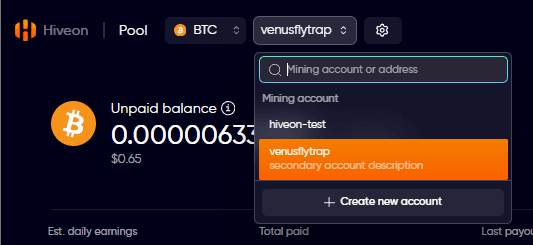
1. On the Main Pool page, click the coin, then on your username.
2. This is your main account, to create additional ones, click on Create new account:
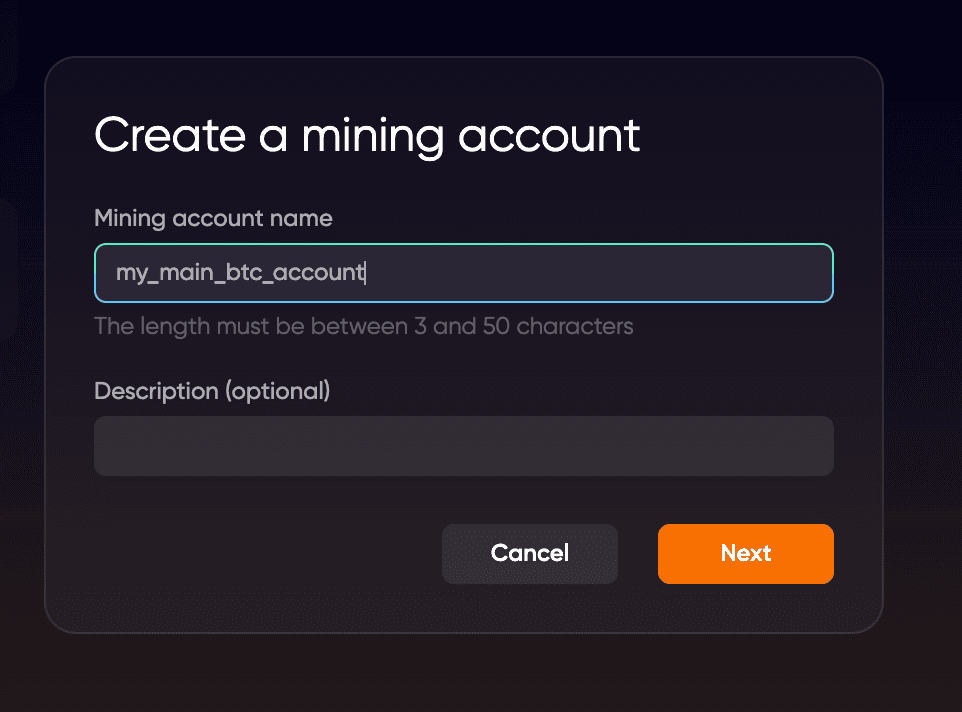
- Mining account name—the title for your new mining account
- Description (optional)—a general overview of your mining account
3. Click Next.
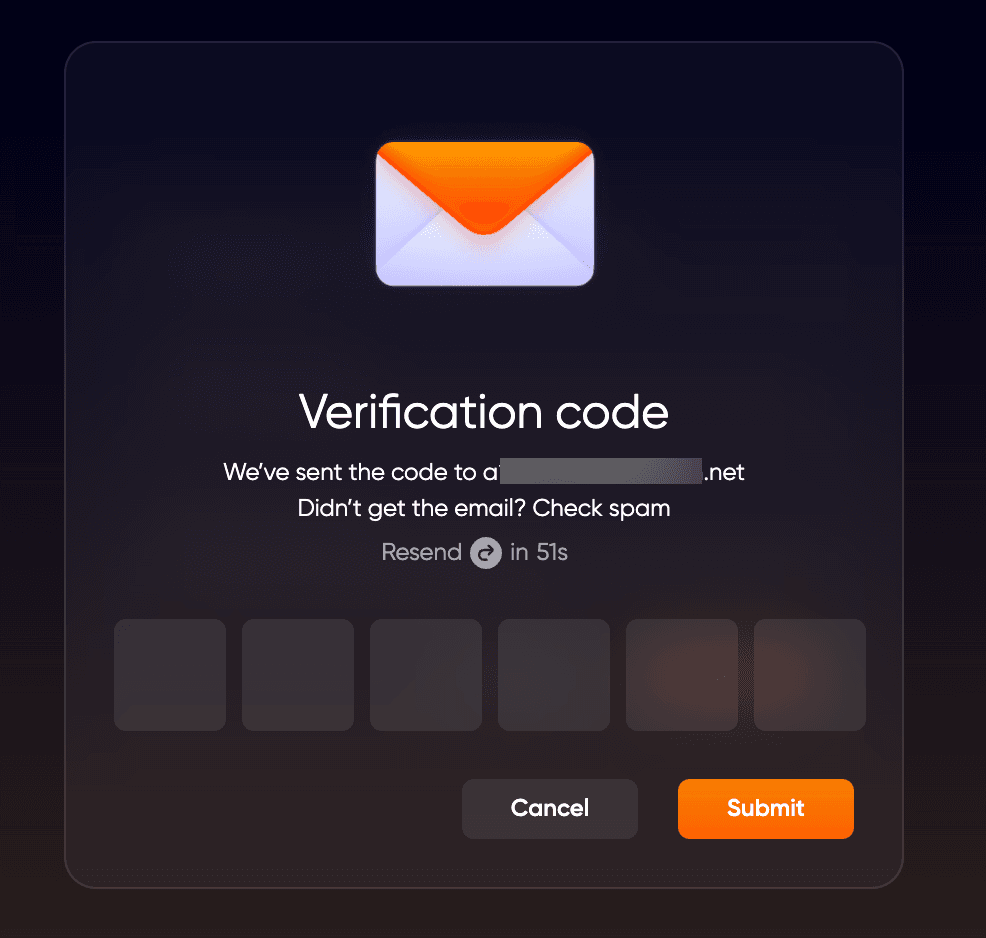
After that, the authentication process will start. In the displayed window, you’ll need to provide a verification code sent to your email or a code from your Google Authenticator app. Then, click Submit.
 That’s it—you’ve successfully created a new mining account.
Mining account dashboard
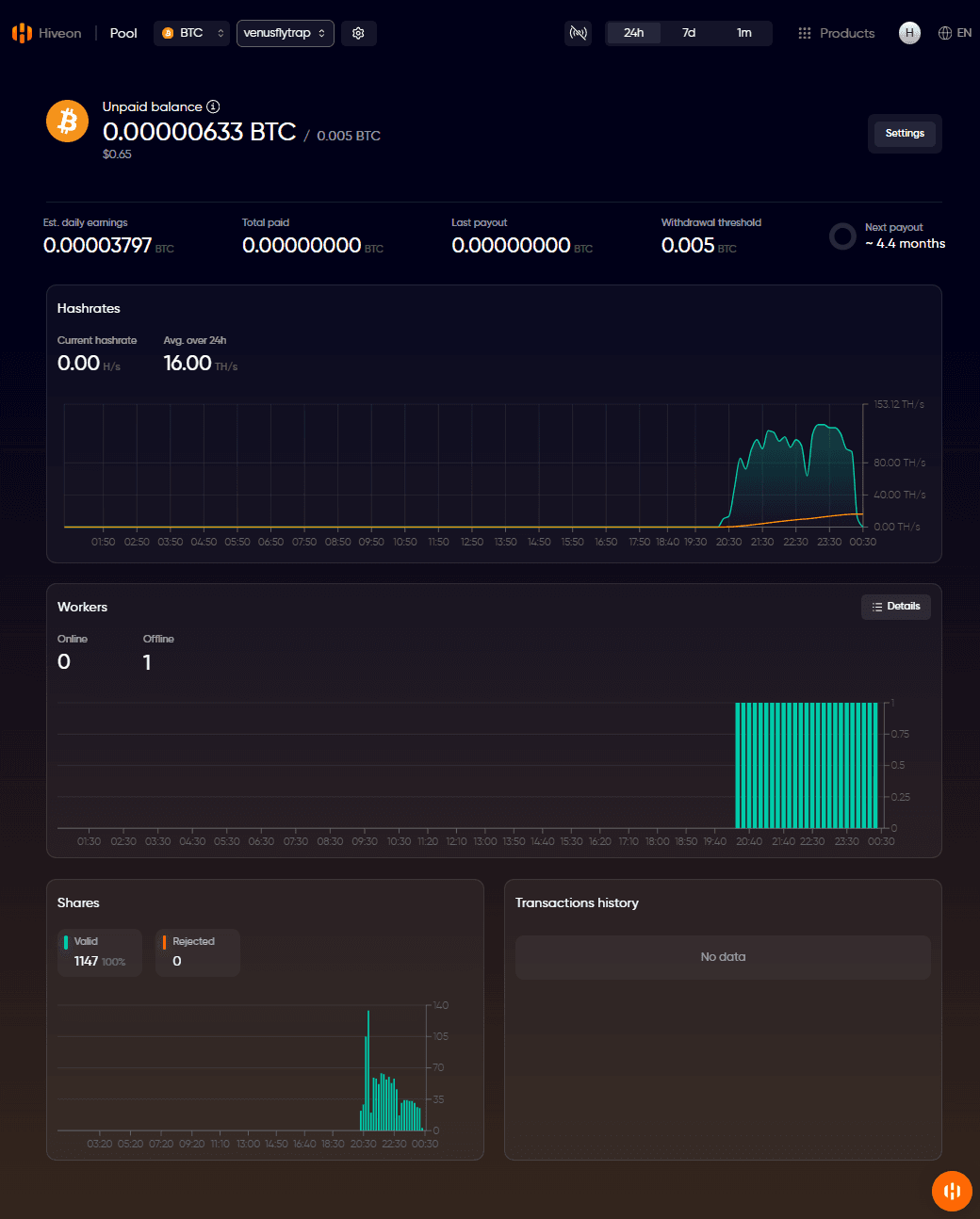
By clicking on your mining account dashboard, you can see the following details:
- Unpaid Balance—the current amount of coins held on the mining account
- Mining hashrates—the current hashrate values
- Transaction History— view your past pool rewards.
- Workers—the machines currently mining to this account
- Shares—the actual work submitted to the pool
Add a withdrawal address/edit payout settings
After selecting a coin on the main pool page, then selecting the account you want to view/edit, you can set a withdrawal address for receiving your mining rewards. Click View Dashboard, then click Settings and enter your wallet details in the payout section. Currently, you can add only one withdrawal address to your mining account. By default, mining rewards are calculated daily.
Once you’ve specified all the necessary information, click Save. Go through the 2FA process, —and your withdrawal address is set.
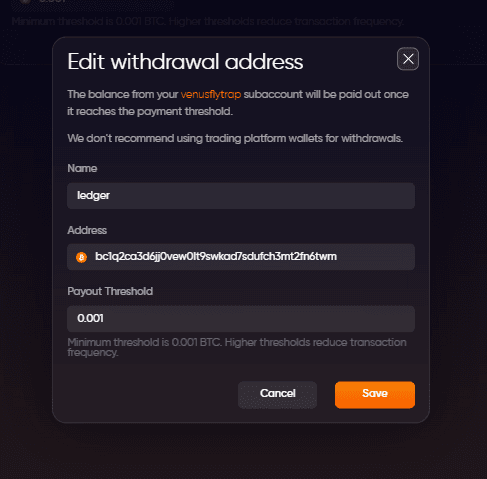
Once you’ve specified all the necessary information, click Next. Go through the authentication process, click Submit in the displayed window—and your withdrawal address is set.
Edit payout settings
You can view the basic payout information by clicking on your mining account. Click Add to change your withdrawal address and provide the necessary wallet details. You can switch between your accounts and view extended information in a separate window.
Payouts are processed daily from 10:00 UTC to 16:00 UTC.
Supported coins
Currently, the Accounts management dashboard is available for the following pools:
- Hiveon BTC Pool
- Hiveon ETC Pool
- Hiveon RVN Pool
Now that you know how to create and manage your mining accounts, you’re all set to join the Bitcoin Hiveon Pool and receive daily payouts right away.
Happy mining!
Related articles