



Ah ok, I think I get it.
So lets say I put the MC at 2200. As long as I see gains by upping watts, the ratio is bad?
logically, you should not set a power limit at the beginning, you should leave basic then just increase the memory until the appearance of artefact - bad share, then lower by 200 +/- if stable, lower the power of the GPU. if still stable, lower the power until the hashrate drops, much 0.50Mhs
do this logically on each card
2 Likes
hello folks
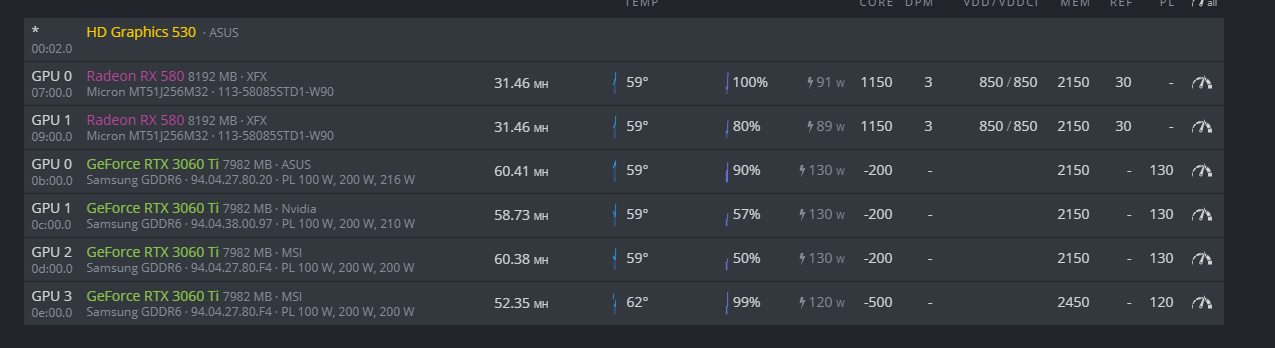
im writing this so that maybe someone will benefit from it, anyway im using -500 on core / 2400 on MEM with 130 PL, i’s super stable on about 61.4mh/s, i got 100% efficiency in the last 24h, and don’t forget to make a 40 sec OC delay, cheers
1 Like
Hi guys…I was adding two extra card rx 580 to my 4 x 3060 ti rig,and fans are going to values over 80%,before I could keep them around 60%.What Im doing wrong?How can I reduce it?I have it in my house,so fans are really loud.
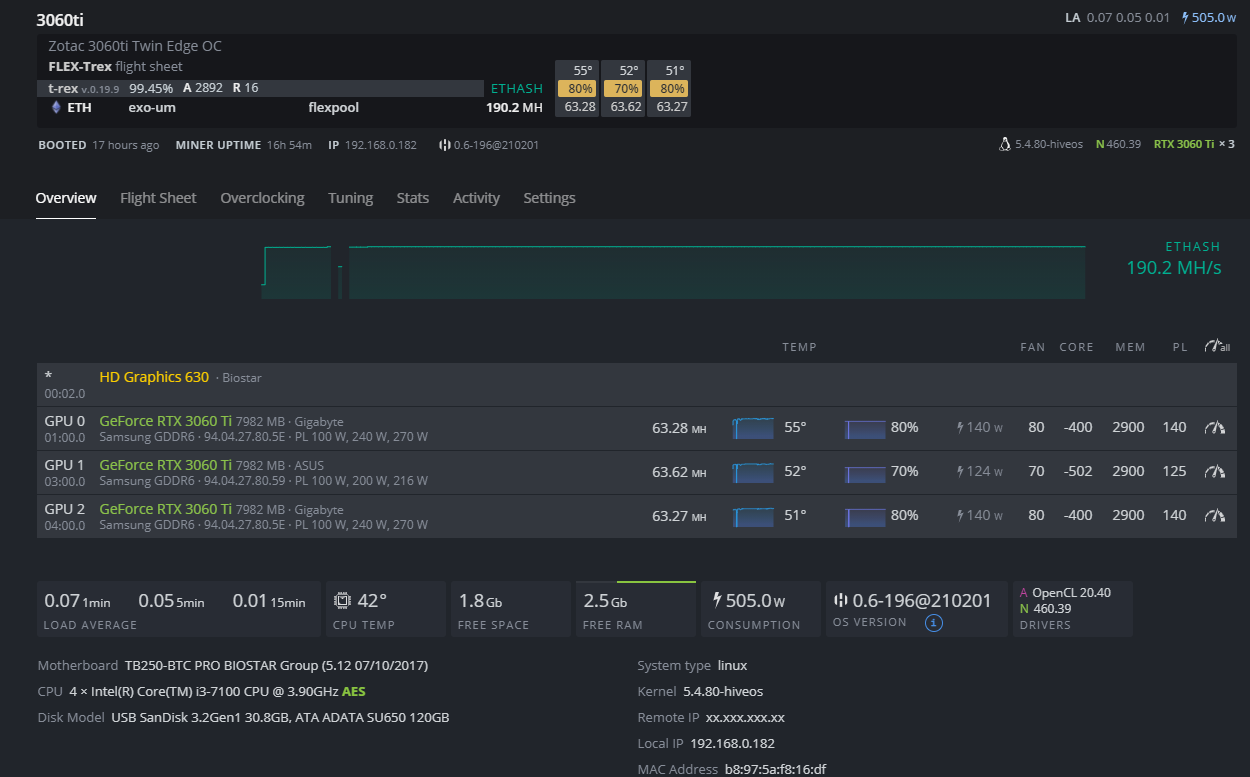
Was able to get my hands on a single 3060ti eagle oc, Running well on t-rex, no invalid shares whats so ever, happy with the oc dont want to push it too hard just to get 1MH/s more.

1 Like
hello everyone
i am new on Etherum mining , i do BTC mine for years
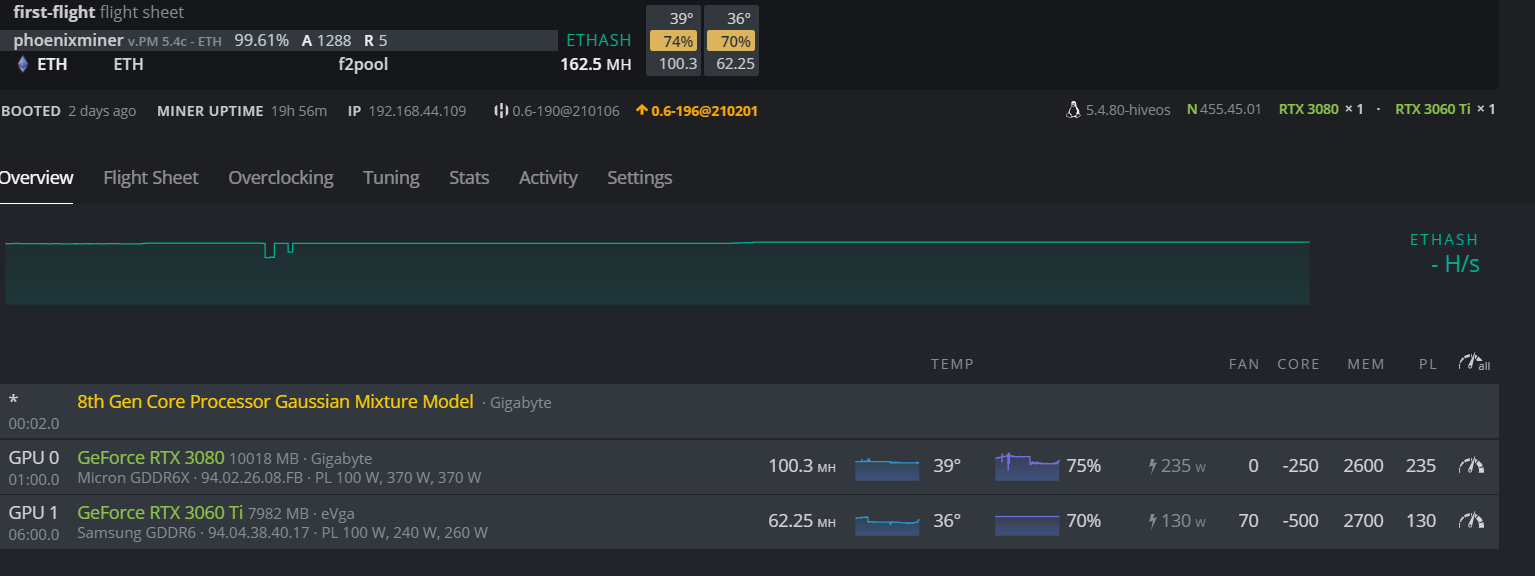
i have 3060 TI and in hiveos i have 162 MHs hashrate ( no error or reject ) but in f2pool website its shows around 142 MHs
is any hidden fee like Dev fee ? if yes its 20 MHs !!?
thanks a lot
hi, check “Reported Hashrate” for real hash.
Anyone having problems with Fan speed, after about a day reporting 0% and nvidia-ski reporting GeForce RTX 3060 Ti, 53, [Unknown Error], [Unknown Error], [Unknown Error], P2, 129.70 W, 130.00 W. Again this happens random after about a day or running.
Thoughts?
1 Like
Version hiveOS, Nvidia or screen worker
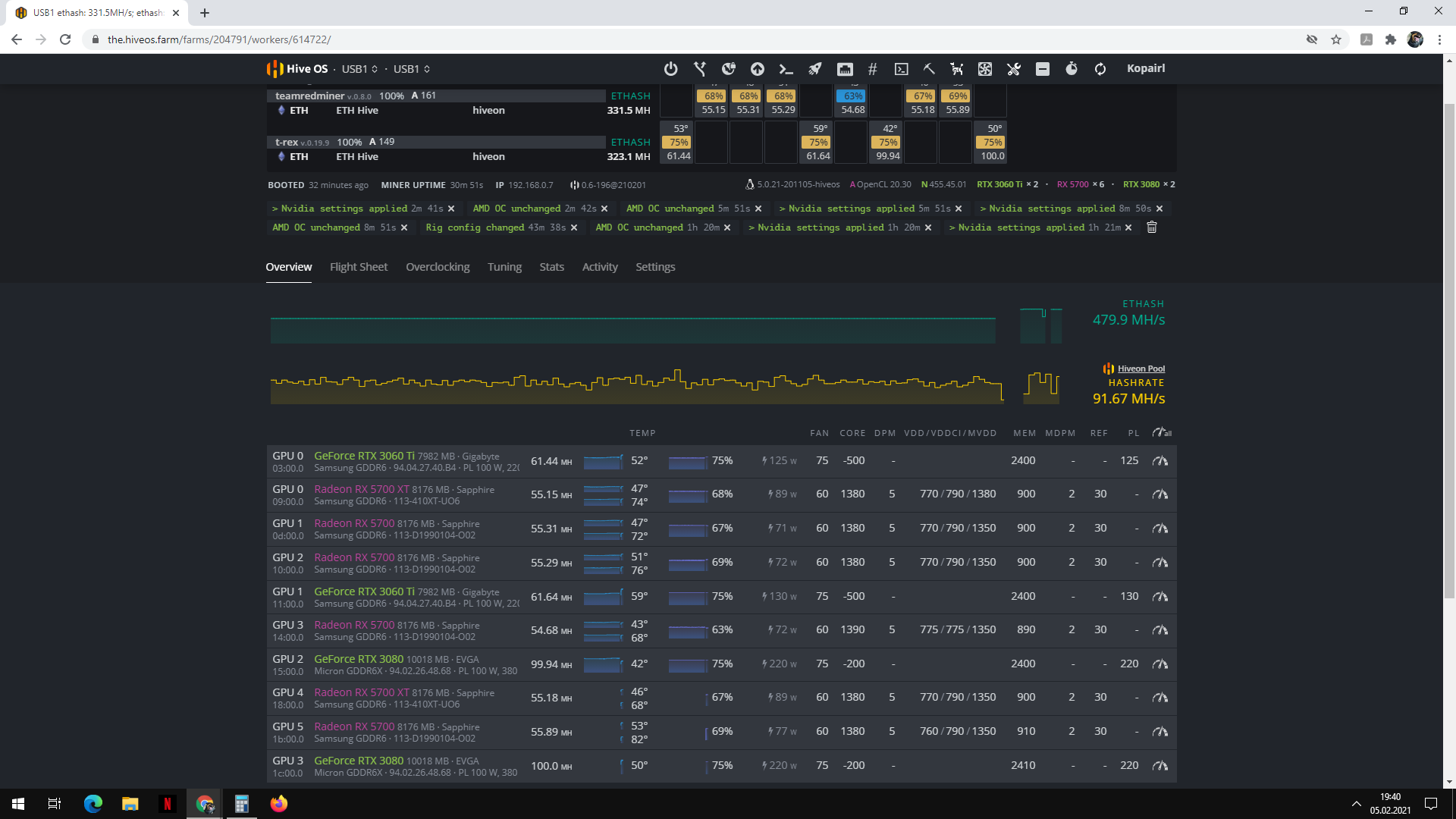
Reported Hashrate = real hashrate
See miner and see pool after 6/12H for real hash


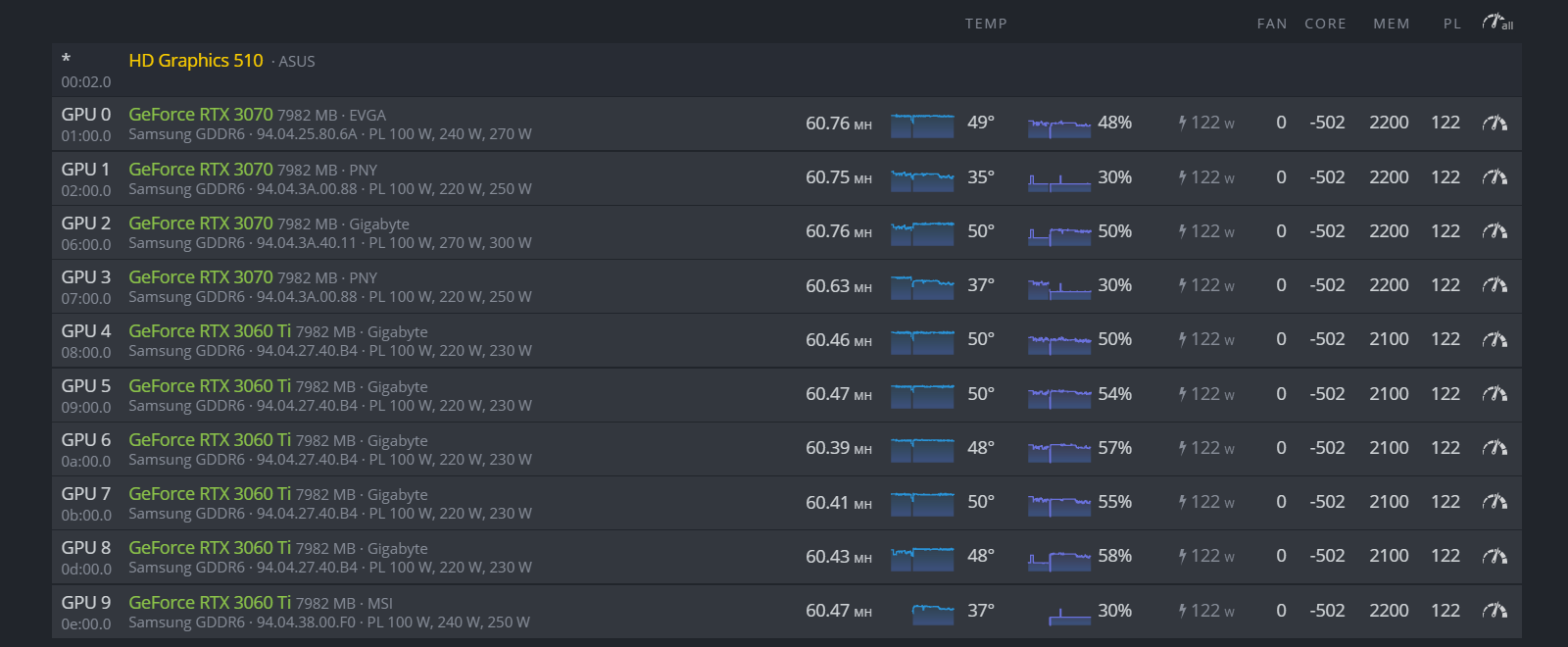
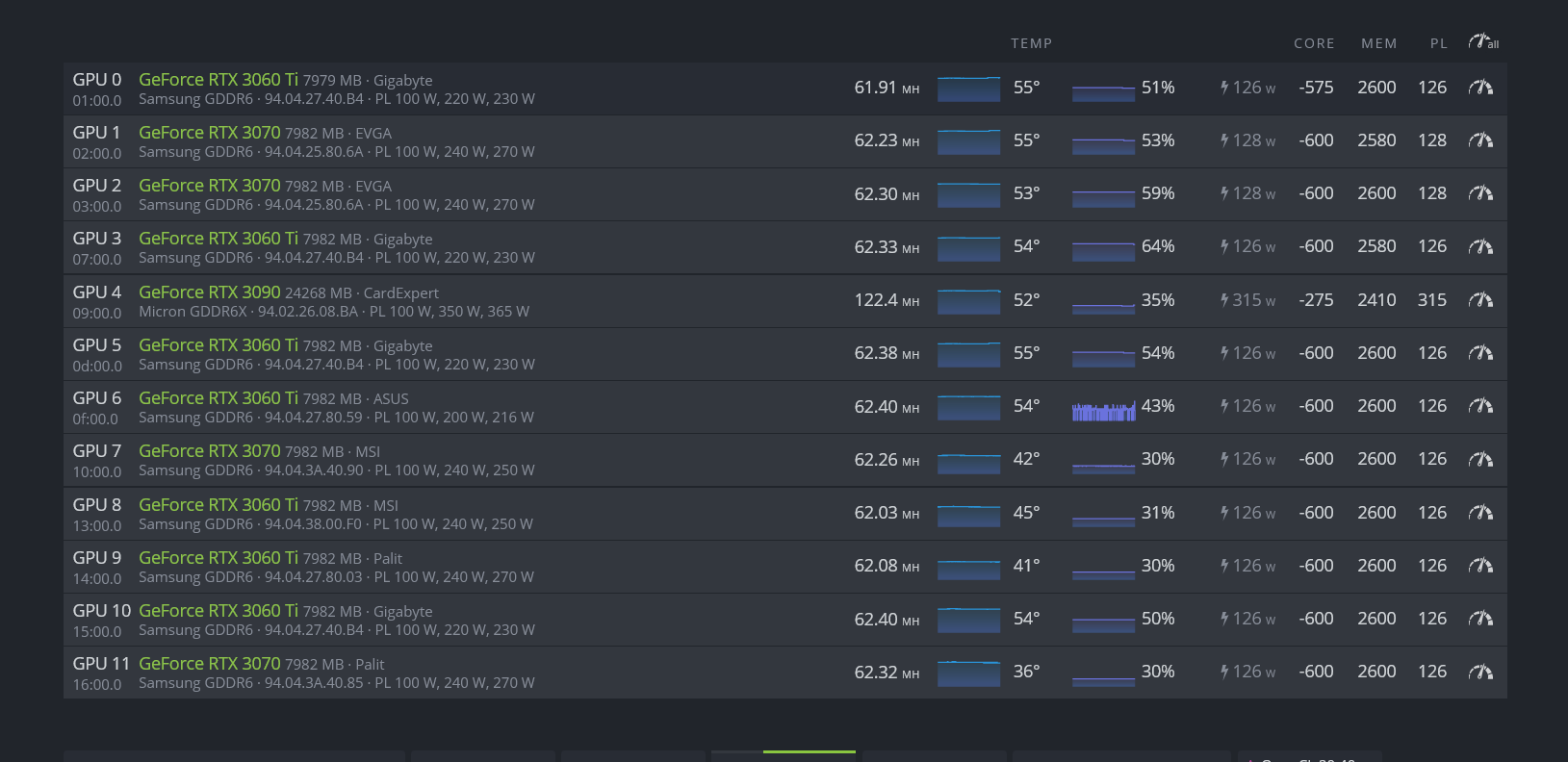
Ive been runing this setup for days now almost 0 bad shares and cards quite cold, be carefull not to push too hard ur cards just for an extra 0.5mh/s as we cant really see the memory clock temps on these cards yet, i do have an extra 3080 running on my PC and when i tried mining the Mem Temp would go as high as 110 when in games just 70.
Anyway this is my setup if its any help to someone

1 Like
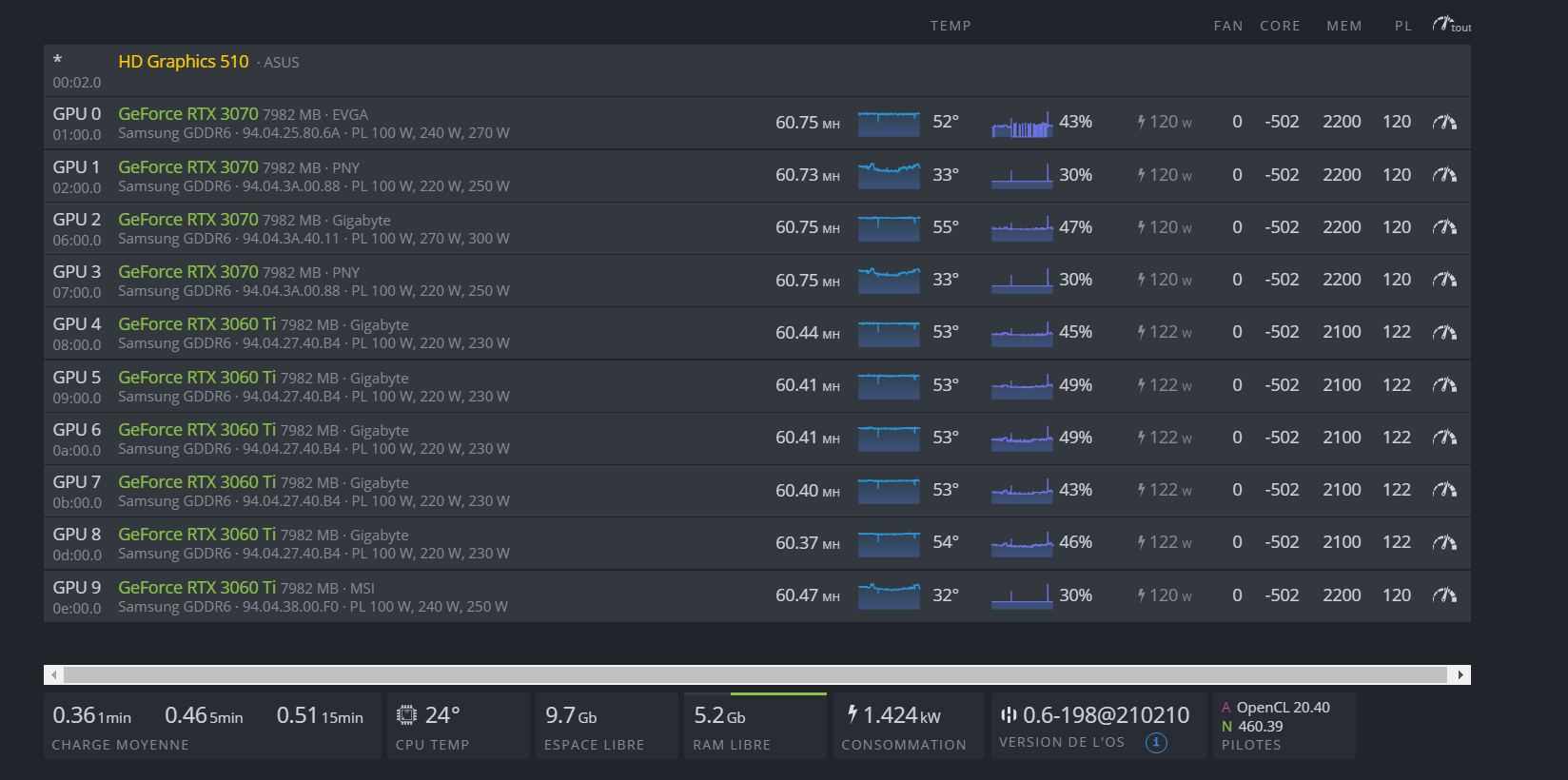
You could even go down to 120/122 in PL and just put 2100 in memory, you’re right, don’t push too high just for 50cents / 0.5Mhs
GPU -502 for you will gain in temperature about 2/3 °
My news Setting:
2 Likes
Motherboard used?