

On Trex works better for me… same setting on Afterburner different results.
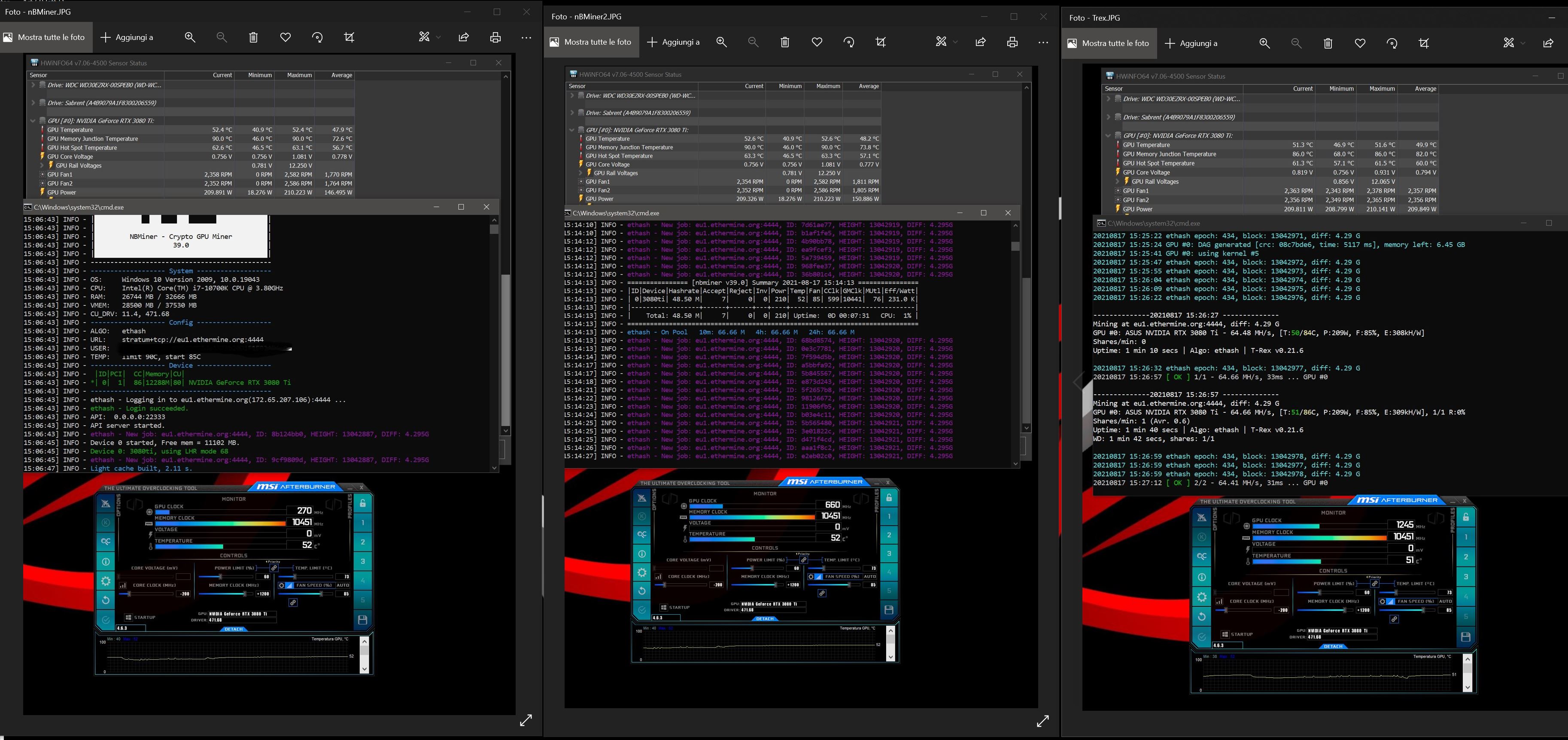
Nvidia driver: 471.68


Does this only work on the ti cards?
I was able to get the lhr command to work, I used “-lhr”: “70” at first, but noticed it didn’t make any changes on the miner log. But removing the - and using “lhr”: “70” worked and the log reflected it after the miner restarted. Hope this works for others.
edit: 70 value caused the unlock to not work and hashrate went back down to lhr hashrates. 69 worked for me and kept the unlocked hashrate. YMMV
For me it works on Rtx 3080 Aorus extreme 2.0. Before update i was getting 54mh/s, and now i get 67-69mh/s. Can’t wait for another update 
I think nothing was unlocked, but the miner was tuning out the protocol… either way, this is good for us, thanks to the developers…
I have the same GPU but it didn’t work for me, can you share your stats?
“lhr”: “68” (tried also 70 and 75)
OC: core: -500 | mem: 2000 | power: 230 → 54 MHs
Drivers: 460.91.03
I just had to update to Nvidia drivers, works great now +65 MH/s 
I have this line in tunings extra config arguments: “lhr”: “69”
And these are my gpu settings:
core: 1090
mem: 2500
PL: 240
Drivers 470
I got 57-59 with the same stats.
Not as good as you but it’s an improvement… thanks!
Do you have latest nvidia drivers installed?
Yes, the latest available in hiveos (470.63.01).
I’ve also upgrade hive to 0.6-209@210822 but with modes 68,69,70 after 10 minutes the MHs drops to 38.
try lower mode to 67. If it will not help then lower it one more
Tried all modes between 70 and 60, the MHs reduces lightly as I lower the mode.
Can’t understand how can we have different results with the exact same GPU and configs xD
hi can someone post his Nbminer config with lhr ? it drives me crazy when i put lhr my 3080ti doesnt go alive.
regards
Which GPU do you have? I have 3060, it’s worked. But I’m only getting 32 MH/s. What OC are you setup? And what NVIDIA driver are you using?
using nbminer v39. try either the command with the ""s “lhr”: “68” theres a space btwn the : and 68. I’ve seen others with “-lhr”: “68” …or similar numbers 68 or 69 or 70
i us no extra config in nbminer (def. 69 and 70 unstable for me ) and this clock setting:
There is also one 3080ti wich underperform.
i hope this helps.
Did anyone tried nbminer v.39.1? Is it any better for lhr cards then 39.0 ?
I dont relly get this to push thru… it says it is load LHR 69 mode, i have entered all diffrent LHR arguments but they do not apply at all it seems ?? can i manually enter a coo
mmand in remote session somehow ? this is what i have in my additional arguments right now
“-lhr”: “70” or even “-lhr”: “75” , what am i doing wrong ?
That would be an example:
-a ethash -o ethproxy+tcp://eu1.ethermine.org:4444 -u YOUR-WALLET.YOUR-RIGNAME -log -lhr 70
The “-lhr 70” gives me between 39-42 MH

