



Yes the power is ok infact its new and the current is entering from the PSU but when I press the power switch it does not come up to show that power has entered the Board
then it might be a problem with the power button or something. check the 2 pins for the power button. try shorting them , get something metal and connect one pin to the other for a sec and remove it.
1 Like
I will try to do as you said to see if the board is receiving current . I saw on the 1600Watt Power Supply Unit
110 - 240 V which means any country can use it. before I was thinking the problem was the voltage input . With this if i see some sparks it means the current is entering the Board and that the Power SW cable might be the problem. Thanks for the urgent and progressive response.
wait. wait. dont do anything first lets think about it. do you have a button that u use to switch on the board ?
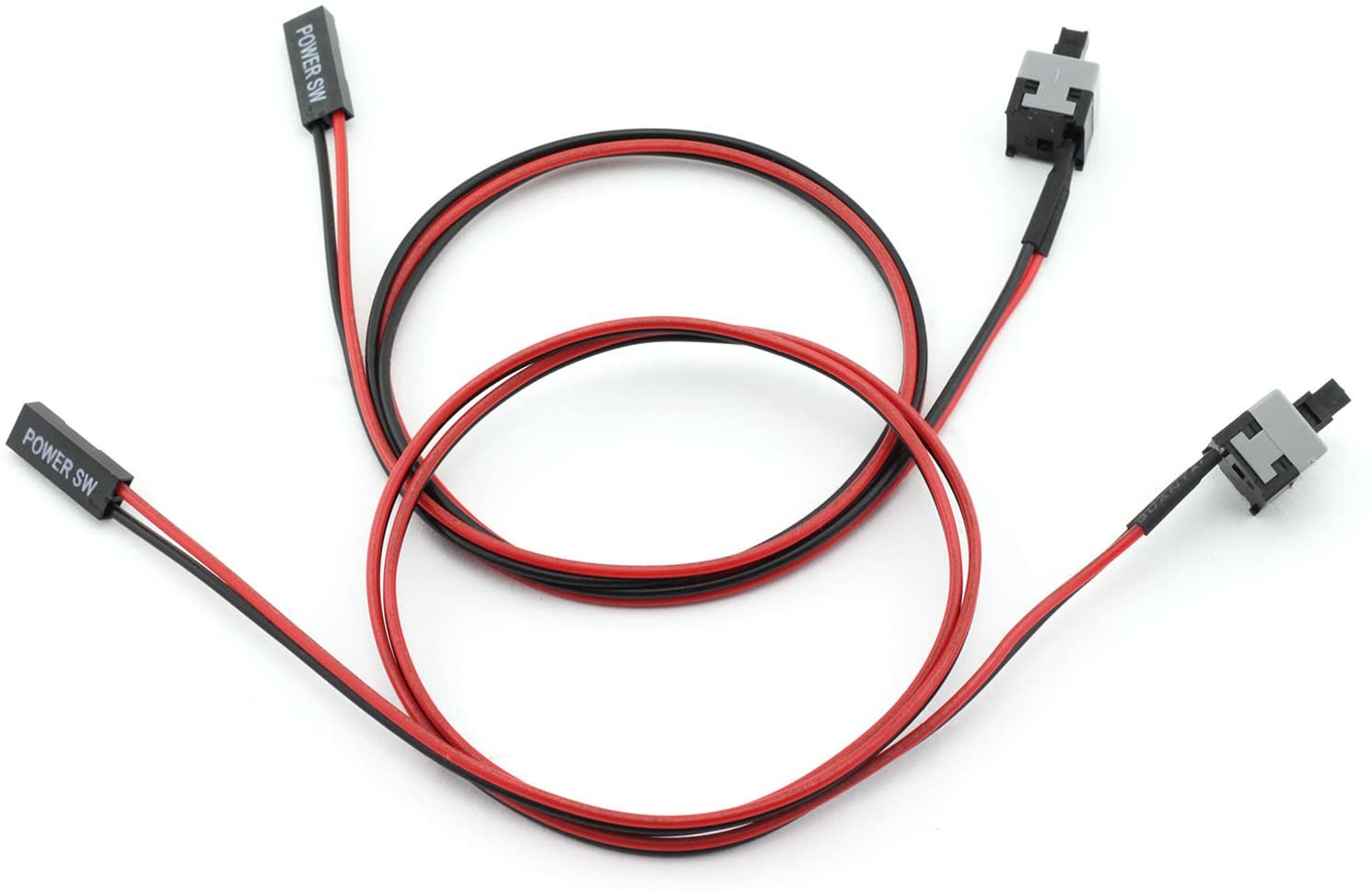
i saw where the problem is . you dont connect the 2pin Power SW at the CLRTC. CLRTC is to clear the bios pass, time and date, leave it empty. below this CLRTC there are may pings. two of them are for power button
1 Like
Thanks for being a great help but can you really specify which of the two pins precisely I will be grateful.
the problem is they are not in the manual  https://dlcdnets.asus.com/pub/ASUS/mb/LGA1151/B250_MINING_EXPERT/E13594_B250_MINING_EXPERT_UM_V2_WEB.pdf
2 of them are for restart button,
2 of them are for power on/off button,
2 of them are for power on light
2 of them are for when the SSD/HDD is reading info, you know flashing red light when CPU does something.
and some other shit like this.
if they are not labeled then its the test and error method.
1 Like
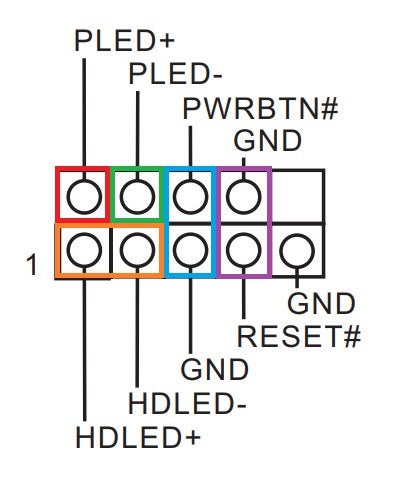
try these, the blue one is the power button 2 pin. these should be similar to your motherboard more or less
1 Like
I will start with the first two and then will continue till I get it right. Thanks you have been a great help to me. Once I get it done I will post which one is for starting it.
Ok I will try the blue ones thanks once again Brother
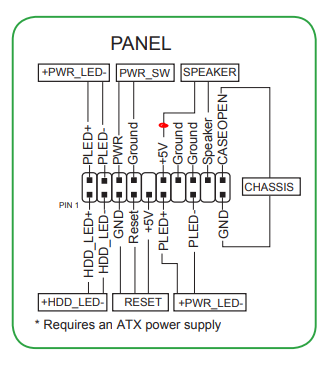
here check this out, its from different Asus mobo but it should work. 3rd vertical pins or 3rd and 4th. horizontal.
1 Like
Good I will check that out too to be sure which is my own board type I use the Asus B250 mining expert 19 SLots
yeah i got this but google doesnt show results of front panel for your mobo, it has other mobos appearing. they all should be similar by design.
1 Like
I tried both it did not work which of the atx should be connected precisely for this to work
Check the manual from the mobo manufacturer.
I have checked on there is no help from the support manual that helps my own version of B250 Mobo is E13594
YES - probably work with just A1.
Run the same SATA power cord to A1, A2, and A3 to be safe.
These three all have to be powered by the same PSU or the magic smoke will escape!
1 Like
Thanks for the response, I will share what i have connected once I close from work . Also from your suggestion do you mean the 4-pin AUX Connector becuase I have connected the 8-pin connector and the 24-pin Connector since i am not running the whole 19 gpus
This topic was automatically closed 416 days after the last reply. New replies are no longer allowed.