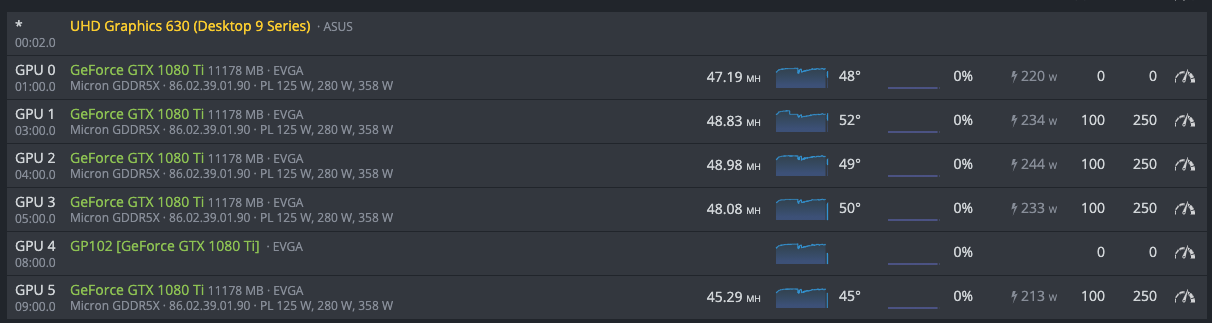
I am having the same problem with my RX 6800 XT
For Big Navi cards, you need to have the Alpha version of Hive to get them to work. There are a couple of pre-requisites however:
(From HiveOS Discord https://discord.gg/nrsFcvbn)
- Minimum 8GB RAM required.
- Voltage regulation is currently not supported. only CORE and MEM are adjustable as of yet.
- Mixing Nvidia GPUs with this build is currently NOT SUPPORTED. AMD only.
Alpha build: http://download5.hiveos.farm/test_images/hiveos-0.6-195-hiveos-next%40210202.img.xz
You can either download the build and flash it with i.e. balenaEtcher, or you can hive-replace an existing hive installation.
SSH in / Hive Shell and run the following;
hive-replace -y http://download5.hiveos.farm/test_images/hiveos-0.6-195-hiveos-next%40210202.img.xz
Or, you can wait until the Beta goes live, which I have heard is sometime in the next week.
For anyone else experiencing similar issues, this is typically a hardware related issue or a driver issue.
Make sure that you have latest stable Kernel, version, and drivers. You might have to try different nvidia drivers with nvidia-driver-update if it’s a nvidia card that isn’t showing up properly.
Make sure riser isn’t faulty, and that cables are seated properly. If it doesn’t work, try plugging directly into the motherboard if that is available.
1 Like
any idea what the cause may be? my 1080ti is doing this and doesnt work on my main pc, no info just zotac and card name, is it likely the card is dead? when attempting to mine, ‘could not start cuda engine, exception in [main, 712] no cuda capable device is detected. is nvidia driver installed?’ shows.
Howdy, sorry for the delayed response. I am not super active on the forum, and spend most of my time on the Discord troubleshooting & answering questions.
This is likely due to having outdated Kernel version, an outdated Version OS, or not having recent Nvidia drivers.
Currently, the latest stable version of HiveOS is:
Kernel: 5.4.80
Version OS: 0.6-200
You can use either 455 or 460, depending on stability for your card. You can update via nvidia-driver-update 455. You can change 455 to 460 if needed. You can update to the latest Stable Kernel via hive-replace -y --stable, and upgrade to the latest Version OS via the web panel by clicking on the current version. If there is an upgrade available, it will be yellow.

1 Like
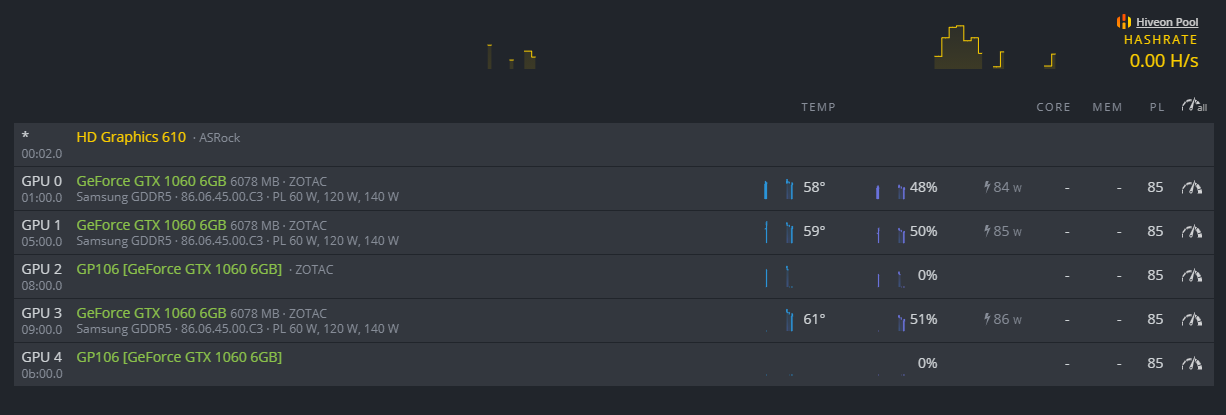
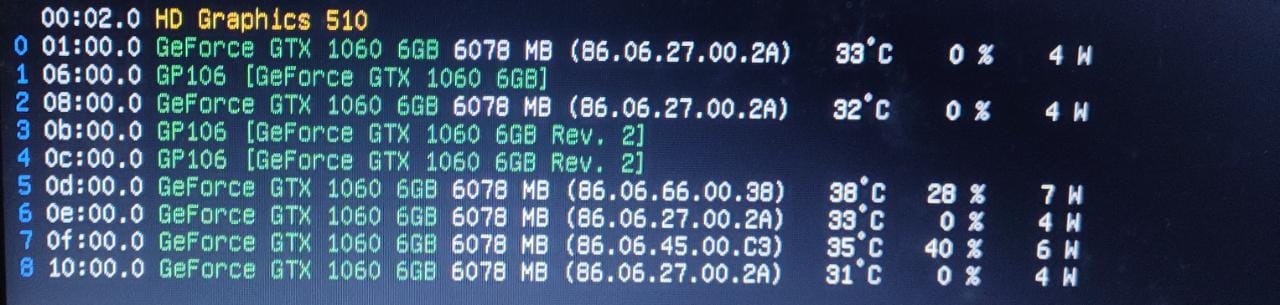
Having the same issues, my mining rig are all Zotac GTX 1060 6Gb mini, but when plugin on HiveOS, it has 2 card always detected as GP106[GeForce GTX 1060 6GB] and unable to start mining.
I tired to get the old / latest version of HiveOs / Nvidia driver install and reinstall, but end up still the same, that 2 GPU always in same state.
Could anyone give a help on this?
Hi bro did you find any solution ?
Hi
Have you found a solution. I have same problem
I also had this problem, the solution for me was a new power supply. The easiest way for me to check if it was a power issue is to unplug the original working gpus from the PSU and try only the new gpus, if they start mining you could have an issue with the PSU.
Another possibility is that you might need to go into advanced settings in the rig’s BIOS and Enable “Above 4G Decoding”.
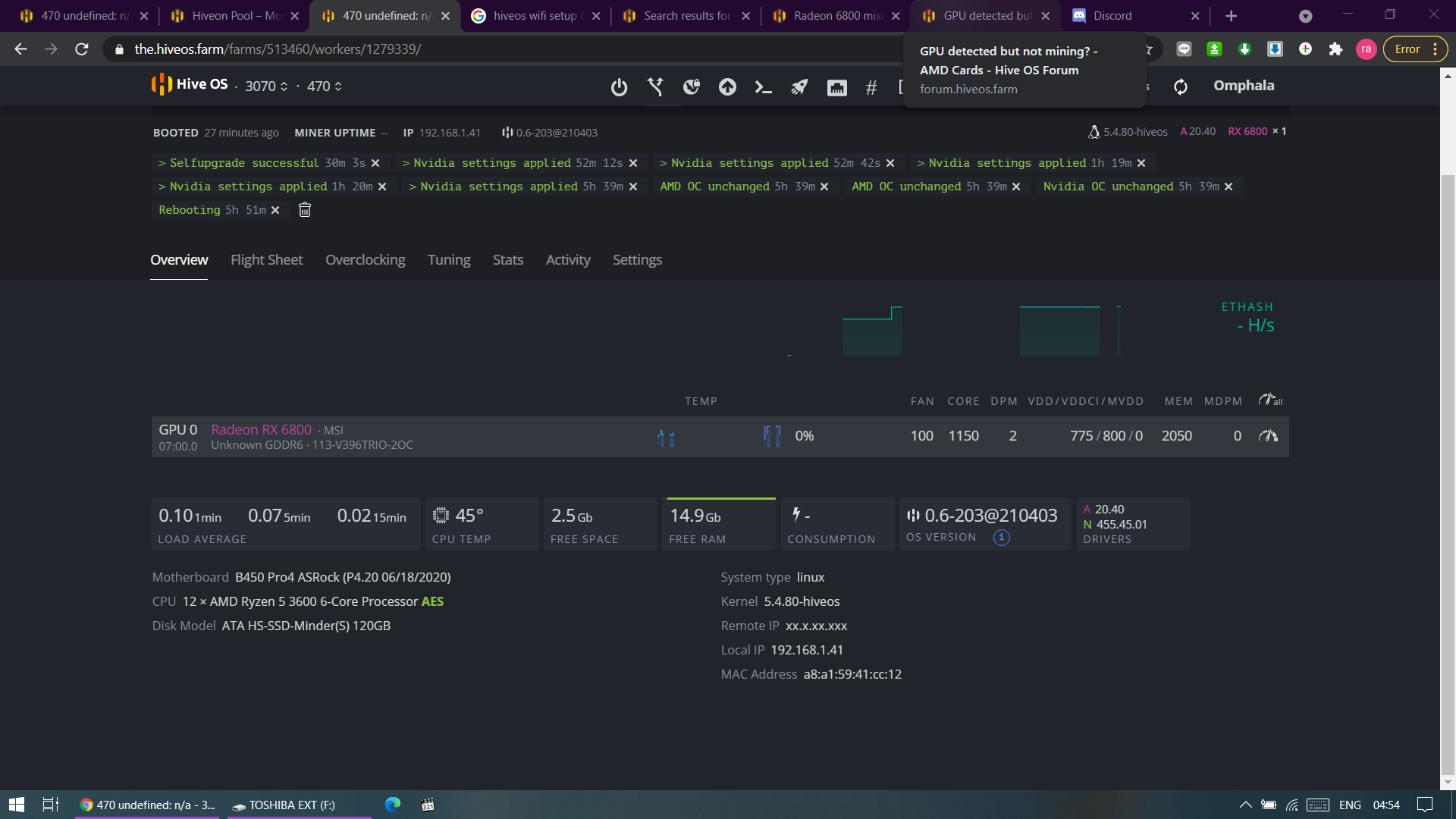
Update on Big Navi support
Big Navi (RX 6700, 6800, and 6900 & -XT variants) are supported on the latest Stable Kernel image. This is 5.4.0-hiveos #108. You can update via hive-replace -y --stable. Any of the pre-requisites previously mentioned does not apply.
As always, if you are experiencing issues, double check your Kernel version and make sure that your riser isn’t faulty. This applies to both new cards, and cards being detected improperly.
Make sure the riser isn’t faulty, and that cables are seated properly. If it doesn’t work, try plugging directly into the motherboard if that is available.
TL;DR- CHECK YOUR CABLES & HARDWARE.
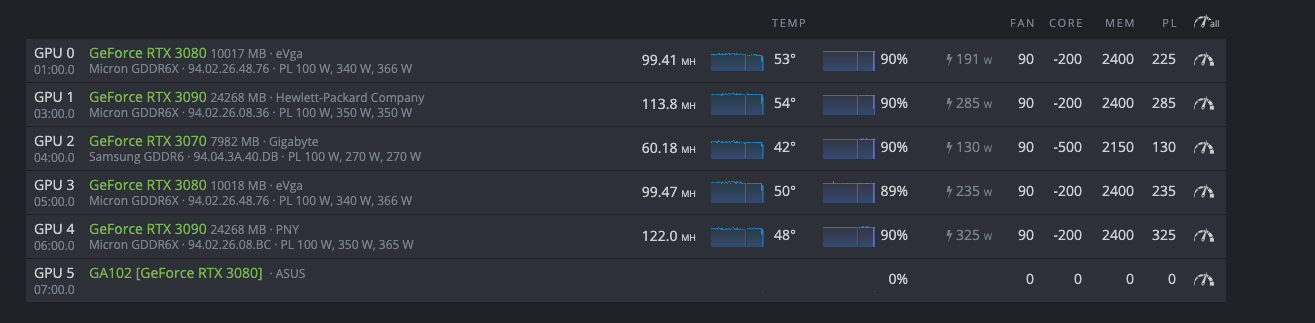
I am experiencing this problem with an EVGA 1080Ti SC Black.
When I first installed this card, it displayed as GP106 [GeForce GTX 1080Ti]. I didn’t think much of it at the time since I was first assembling the rig. After some reboots and installing the rest of the cards, this card worked fine and was detected as normal.
Fast forward to yesterday and I am making some minor tweaks. My miner restarted, and has not picked up this card properly since. Can only get it to display as GP106.
I tried downgrading to the latest stable kernel, and tried NVIDIA drivers 455 & 460 as stated in posts above. Tried a new riser and even switched the card to a different power supply. Nothing. The problem is following the card.
Tonight, I will put the card into my gaming PC and see if it is hanging onto some weird OC setting. Otherwise I’m not sure what to do.
1 Like
Hi there
I am facing same issue on GTX1060 5 cards did you find any solution for this please share with me too
1 Like
I still have not found a solution. I put the card into my gaming PC with unsatisfying results. The PC will boot but the GPU will only display a “black” screen. Note, I do not mean it is not displaying anything. The monitor detects output, but the card only puts out the “black” screen.
I do not have onboard graphics to test it further than that.
I am searching a solution for this if I came to solve will share it here for sure , tomorrow again I will change all new riser and power unit then I will see the results
@vk2u @DRACONUS @Ceompatel
I am not super active on the forum, but very active on the Discord server.
As always, if you are experiencing issues with cards being detected, double check your Kernel version and make sure that your riser isn’t faulty. This applies to both new cards, and cards being detected improperly.
Make sure the riser isn’t faulty, and that cables are seated properly. If it doesn’t work, try plugging directly into the motherboard if that is available.
TL;DR- CHECK YOUR CABLES & HARDWARE.
Risers I have already replaced twice will check the cards fixing directly on motherboard by this weekend
Hi, I am new, and I have very little experience, but:
The same thing happened to me. Updating OS, kernel and drivers did not work. It seems the GPUs were damaged. The most probable cause was some issues on the power supply. Nevertheless: the GPUs are now mining.
The trick for me was setting HiveOs on “maintenance mode” + “without loading drivers” (“under settings”…). By doing this, you should start manually the miner (“type miner start”), and you and cannot overclock: but the GPUs are mining again.
If you know any better solution, please share it.
I will try this by weekend